 StyleLift
Activate your StyleLift license
Your license key is in the receipt email from Lemon Squeezy, our payment provider. Search your inbox for “StyleLift” if you can’t find it.
Three steps
- Open StyleLift’s options page. Right-click the StyleLift icon in your browser’s toolbar and choose Options. Or open StyleLift on any page and click “Buy license” (“Unlock” once the trial has ended) at the bottom of the panel: it opens the options page.
- Paste your key into the field under “Already bought it? Paste the license key from your receipt email.” and click Activate.
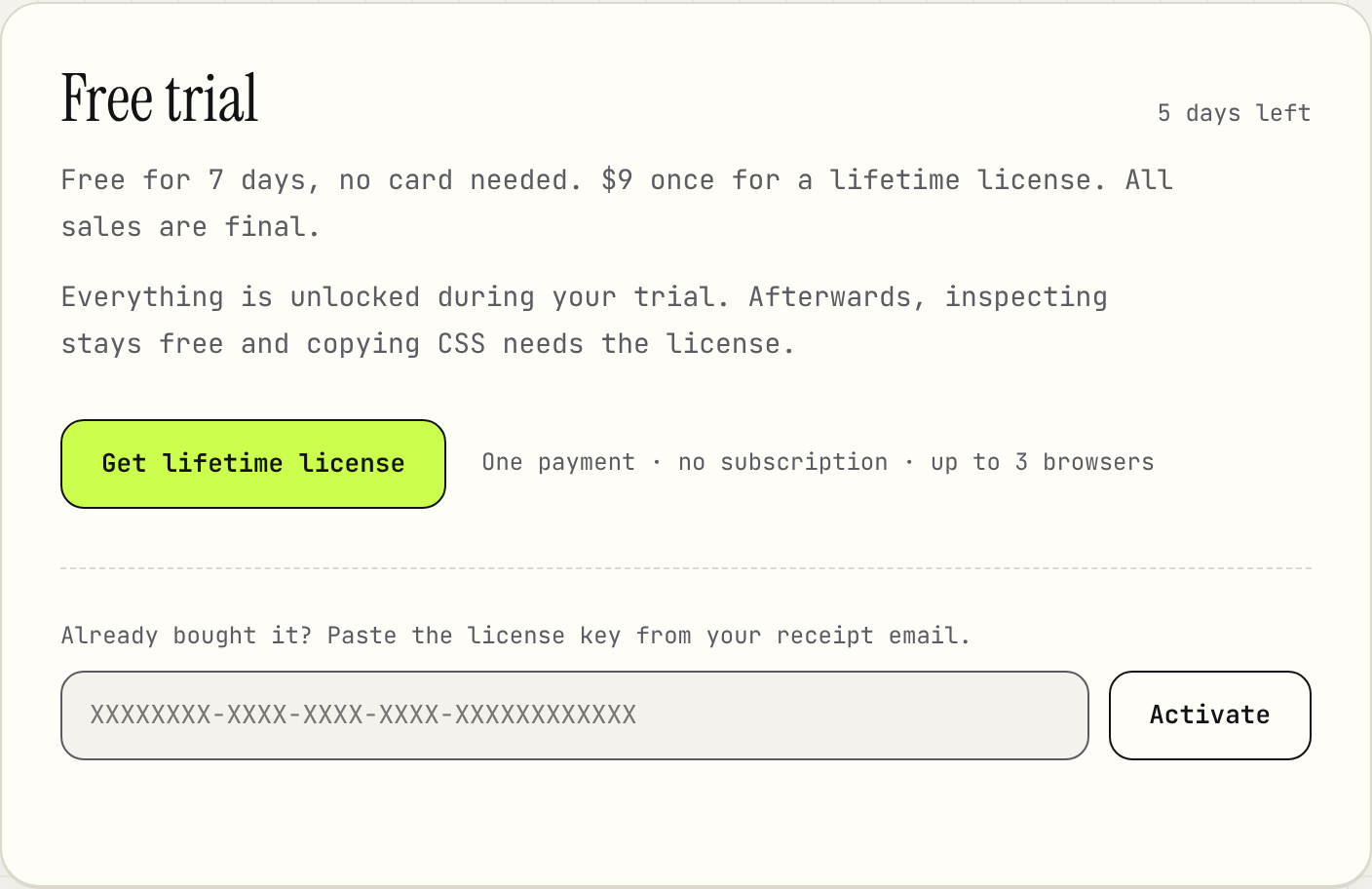
The license card on StyleLift’s options page. The key goes in the field at the bottom. - Allow the connection to
api.lemonsqueezy.comwhen your browser asks. StyleLift uses it only to check your key: when you activate, and then about once a week.

The status at the top of the options page changes to “Pro · lifetime”, and copying works again in every tab.

Up to 3 browsers
One license activates StyleLift in up to 3 browsers, for example Chrome at work, Chrome at home and Edge on a laptop. Each browser profile counts as one.
To move it to a new browser, open StyleLift’s options page in one you no longer use and click Deactivate on this browser. That frees a seat; then activate the key in the new browser. If the old browser is gone for good, write to support@getstylelift.com from the email address you bought with, and we’ll help.
If it doesn’t work
- “This license key is already active in 3 browsers.”
- Deactivate it in one of them (StyleLift options → Deactivate on this browser), then try again.
- “We couldn’t find that license key.”
- Copy the whole key from the receipt, with no spaces before or after it.
- “Couldn’t reach the license server.” or “The license server didn’t answer within 15 seconds.”
- Check your connection and try again. Once you’re activated, StyleLift keeps working offline.
- “StyleLift needs permission to reach the license server to check your key.”
- You closed the browser’s permission prompt. Click Activate again and allow it.
- “Too many tries in a row.”
- Wait a minute, then try again.
Still stuck? See Help and support, or write to support@getstylelift.com.
Safari
StyleLift for Safari is a separate app on the Mac App Store, with every feature included. You buy it from Apple, so it doesn’t use a license key, and a Chrome or Edge license doesn’t cover it. See StyleLift for Safari.